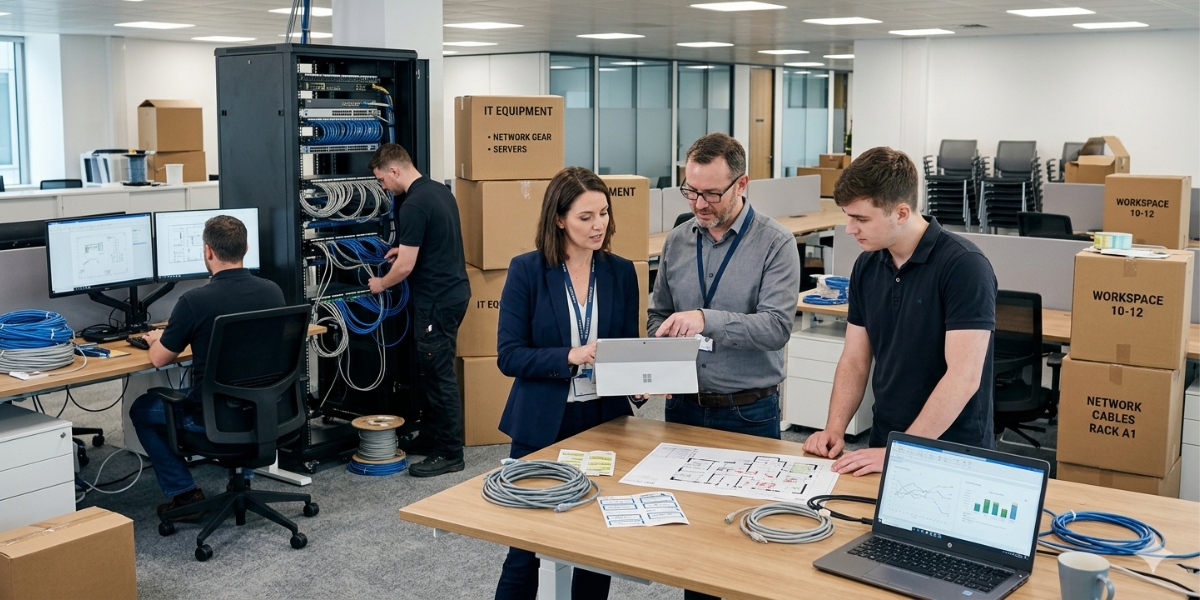
An office move is usually planned around logistics. Furniture, layouts, and timelines take priority. Technology gets addressed somewhere along the way. That is where problems start.
Your internet, phones, network, and security systems are not plug-and-play. They require planning, coordination, and lead time. When those pieces are treated as an afterthought, businesses often walk into a new space that is not fully operational.
It is not uncommon for internet to be delayed, phones to stop ringing, or cabling issues to slow down move-in dates.
And when that happens, the cost is not just inconvenience. It is real business impact.

The Real Cost of Getting IT Wrong During a Move
Most teams underestimate what downtime actually costs. Even a small office relocation can spiral quickly. One scenario shows downtime and delays pushing total impact past $150,000 when systems are not properly planned and coordinated.
On a smaller scale, each hour of disruption can cost hundreds of dollars per employee per day in lost productivity alone, and that is just the visible cost.
What does not show up on a spreadsheet is often worse. Missed client calls. Delayed projects. Frustrated employees. Damaged reputation. These are the ripple effects that linger long after the move is over. The pattern is consistent. Businesses try to save time or money upfront, and end up paying for it during the transition.

Why IT Planning Needs to Start Earlier Than You Think
The biggest misconception about office moves is timing. Most teams assume IT can be handled close to move-in. In reality, the longest lead items need to be addressed first.
Internet provisioning alone can take weeks or even months depending on the building and provider availability. Hardware procurement can take 8 to 12 weeks. Vendor coordination requires sequencing that depends on construction, access, and installation windows.
At the same time, research shows companies that plan relocations further in advance see significantly better outcomes, with up to 31% higher satisfaction when sufficient planning time is allocated.
This is not about being thorough. It is about being realistic. If IT planning starts late, you are not executing a plan. You are reacting to constraints you can no longer control.

Your Office Move Is an Infrastructure Reset
A move is more than relocating equipment. It is a full reset of your environment.
Every decision matters:
- Internet availability at the new location
- Network design and wireless coverage
- Phone systems and call routing
- Security systems and access control
- What equipment should be replaced versus reused
This is also where many businesses get it wrong. They try to replicate the old environment in a new space without considering how the business has changed. Office moves today are increasingly strategic, not just operational. Many companies are using them to reduce costs, optimize space, and support hybrid work models rather than simply expanding. Handled correctly, a move improves how your business operates. Handled poorly, it locks in inefficiencies for years.

Where Office Moves Typically Break Down
Even well-run businesses run into the same predictable issues:
- Internet is ordered too late
- Vendors are not coordinated properly
- Cabling does not meet building or code requirements
- Phones or networks are down during the transition
- No single owner is managing the full timeline
These are not edge cases. They are common outcomes. In fact, most disruption during office relocations is tied directly to technology infrastructure challenges, not physical moving logistics. If no one owns the IT timeline end-to-end, these gaps are almost guaranteed.

The Difference a Structured Plan Makes
The businesses that avoid disruption are not guessing their way through the move. They treat the move like a structured project with clear phases:
- Defining requirements before committing to the space
- Aligning infrastructure with layout and usage
- Coordinating vendors early and intentionally
- Testing and validating systems before move-in
They also understand something most teams miss. Downtime is not random. It is the result of decisions made too late in the process. A structured plan eliminates that.

Get the Full Office Move Blueprint
If you are planning a move, the most valuable step you can take is understanding the full process before you start making decisions.
The Office Move Blueprint: Technology Edition breaks down:
- What needs to happen before, during, and after your move
- The key IT and telecom decisions most teams miss
- A clear timeline to keep everything on track
- How to avoid downtime, delays, and unexpected costs
Frequently Asked Questions
When should IT planning start for an office move?
IT planning should start as early as possible, ideally before the new space is finalized or buildout decisions are locked in. Internet service, cabling, network design, phone systems, Wi-Fi coverage, access control, and security cameras all require lead time and coordination. Waiting until move-in week creates unnecessary downtime risk. Businesses should involve IT early enough to review the floor plan, provider availability, construction schedule, cabling needs, equipment orders, and testing timeline.
What IT issues commonly delay office moves?
Common IT issues that delay office moves include late internet orders, missing cabling, poor Wi-Fi planning, phone system misconfiguration, delayed hardware, vendor scheduling conflicts, access control gaps, and no single owner managing the technology timeline. These problems often surface after furniture and physical logistics are already planned. That is the mistake. Technology should be treated as part of the move infrastructure, not a final checklist item. A move plan should identify dependencies before dates are committed.
What should be on an office move IT checklist?
An office move IT checklist should include internet service, firewall and network equipment, Wi-Fi access points, data cabling, phone systems, call routing, computers, printers, servers, cloud access, security cameras, access control, vendor coordination, backups, and testing. It should also identify what equipment will be moved, replaced, or retired. The most important item is ownership. Someone must manage the full IT timeline, confirm installations, and validate that systems work before employees arrive.
Why is internet service a major office move risk?
Internet service is a major office move risk because availability, installation timing, circuit type, provider access, and building readiness can all delay activation. Businesses often assume internet can be moved like furniture, but service provisioning may require surveys, approvals, construction, or coordination with the building. If the internet is not ready, phones, cloud apps, payment systems, video meetings, and daily work may all be affected. Confirm provider options and install timelines before finalizing the move date.
How can a business avoid downtime during an office move?
A business can avoid downtime during an office move by planning IT early, assigning one owner, confirming internet lead times, designing the network before move-in, ordering equipment early, coordinating vendors, testing systems in advance, and keeping a rollback plan. The goal is to make the new space operational before employees depend on it. Do not assume equipment will work the same way in a different layout. Validate Wi-Fi, phones, printers, security systems, and cloud access before the first workday.