Security cameras are useful after something happens.
But what if your security environment could recognize an incident as it was happening, alert the right people, provide live visibility into what was taking place, and help coordinate a response?
BestLine Solutions recently experienced exactly that at our own office.
An after-hours mailbox incident gave our team an unexpected opportunity to see the Verkada security environment we deploy and support in action, from the first sensor trigger to live video, professional monitoring, emergency response, and the incident record that followed.
Here is what happened.
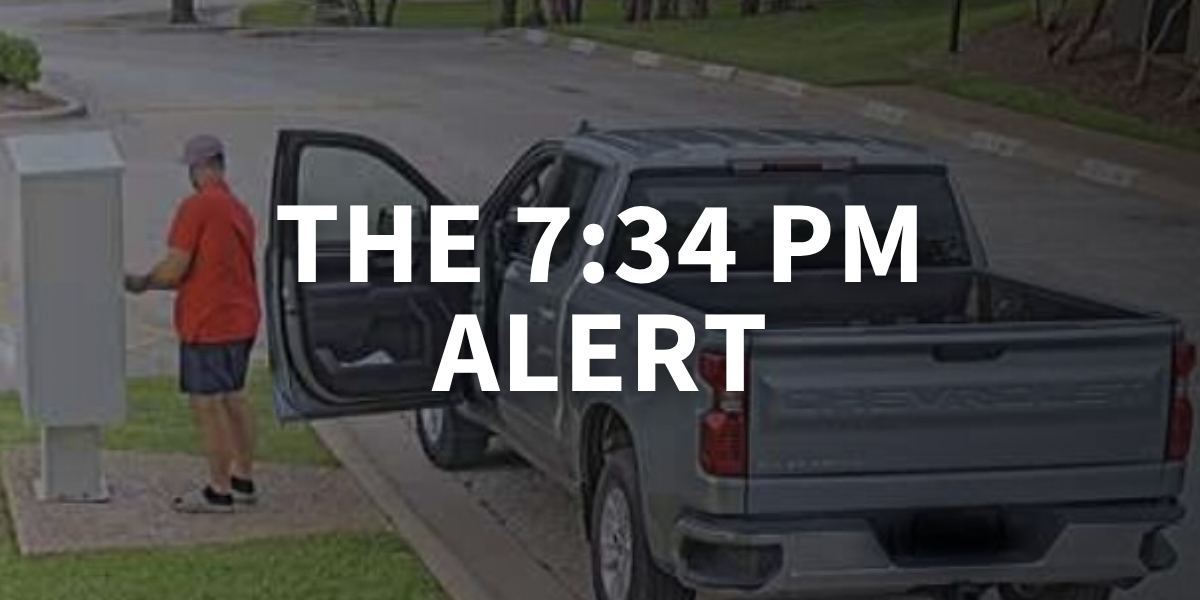
7:34 PM: The Mailbox Opens
BestLine Solutions has a sensor installed inside the mailbox outside our building.
During business hours, opening the mailbox is expected. That’s why the system is configured around the way the property actually operates. The mailbox partition is armed after hours, between 6:00 p.m. and 5:00 a.m.
At approximately 7:34 p.m., the mailbox door opened.
The sensor immediately triggered an alarm.
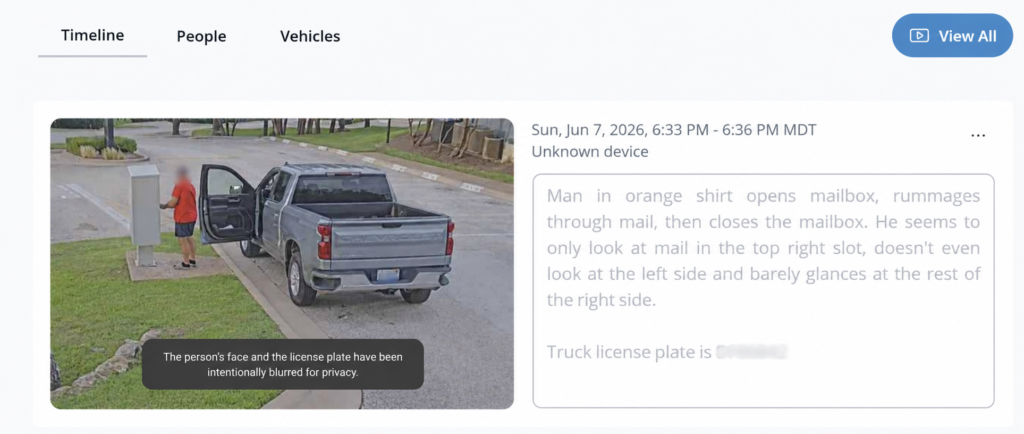
And the cameras showed why.
The individual began rummaging through the mailbox.
The important part wasn’t simply that a camera recorded it.
The system was already responding while it was happening.
Within Seconds, the Response Was Underway
BestLine Solutions’ team members weren’t sitting inside the office watching security monitors.
They weren’t even nearby.
Members of the team were traveling when the incident occurred.
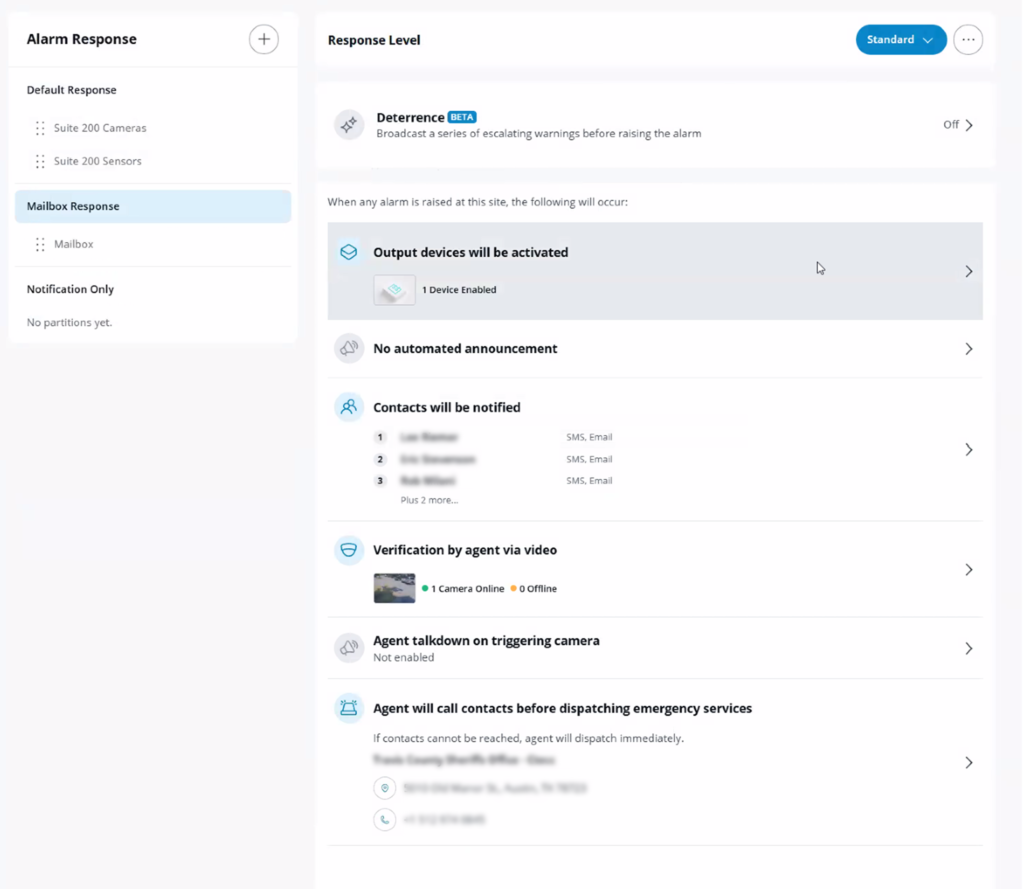
Within roughly two seconds of the sensor being triggered, designated BestLine Solutions contacts received text alerts. Within approximately 10 to 15 seconds, a Verkada monitoring agent had verified the event.
As the BestLine Solutions team pulled up the live camera feed on their phones, the individual was still standing at the mailbox.
Then the phone rang.
Verkada’s monitoring team was calling BestLine Solutions.
“The text came through almost instantaneously. Within a few seconds of that sensor getting triggered, we were texted. And as we were pulling out our phone, Lee’s getting a call from the security people.”
Trevor, BestLine Solutions
This wasn’t a team discovering an incident the next morning.
They were watching it unfold.
From an Alert to Action
After verifying the situation, Verkada contacted BestLine Solutions.
The team authorized escalation to law enforcement and was able to provide something particularly valuable: clear video evidence of both the individual and the vehicle involved.
The camera had captured a high-quality view of the vehicle and license plate.
Meanwhile, the incident continued to be documented inside the Verkada platform…
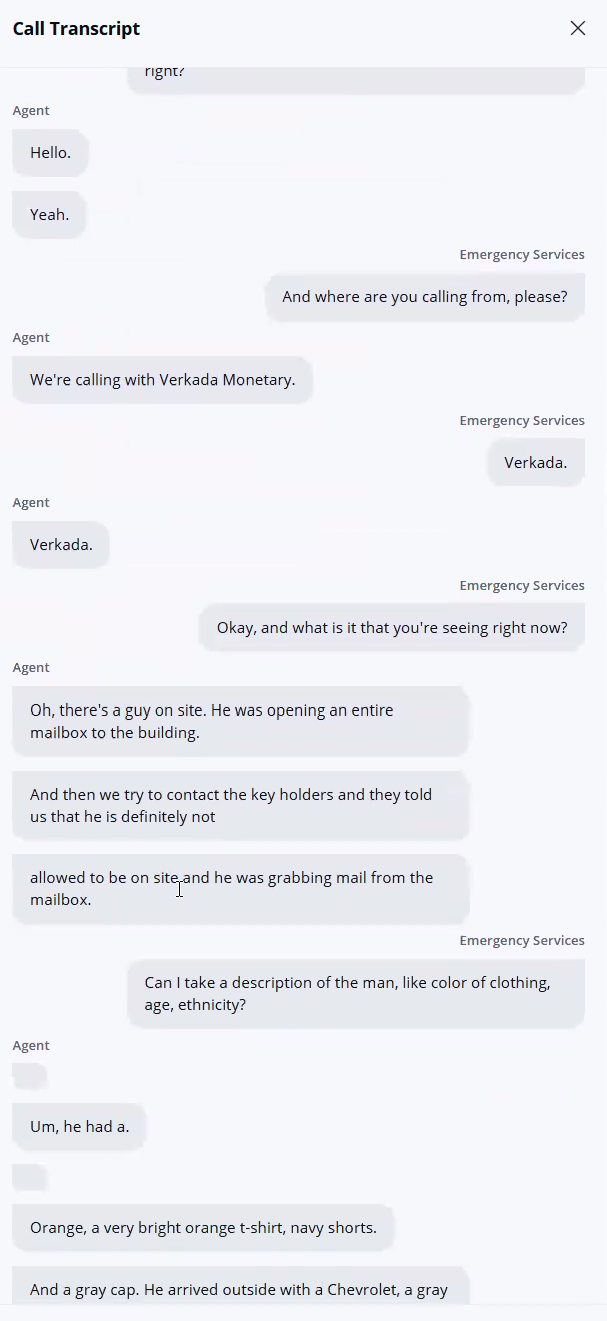
Instead of piecing together what happened after the fact, BestLine Solutions had an incident record showing the progression from detection to response.
The Dashboard Tells the Rest of the Story
After an incident, video is only one piece of the puzzle.
Within Verkada, the team could review the event alongside the information associated with it.
That included the alarm activity, video footage, monitoring activity and call transcripts.
The video itself had also been archived, allowing BestLine Solutions to preserve the relevant footage beyond the camera’s normal 30-day retention period.
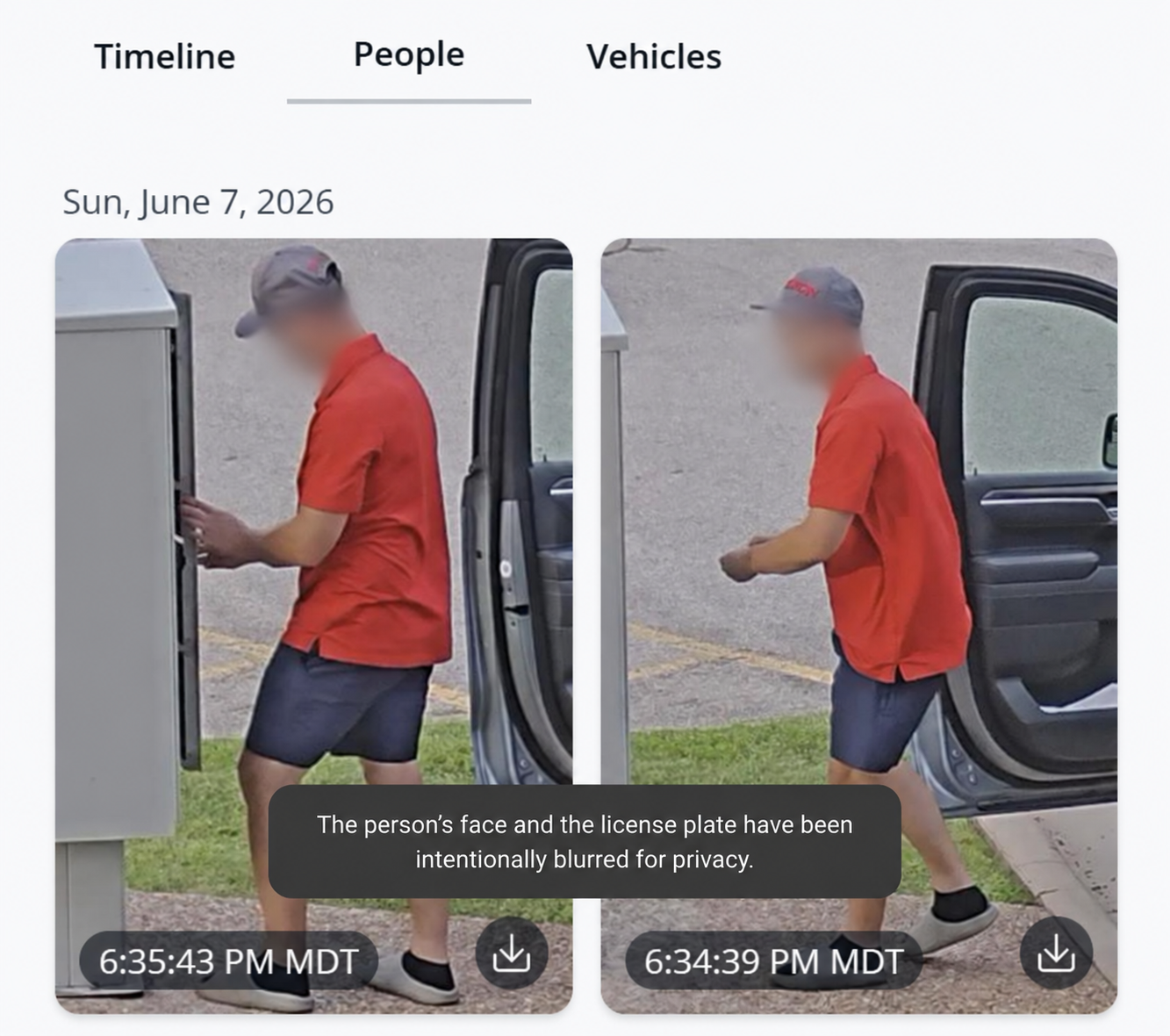
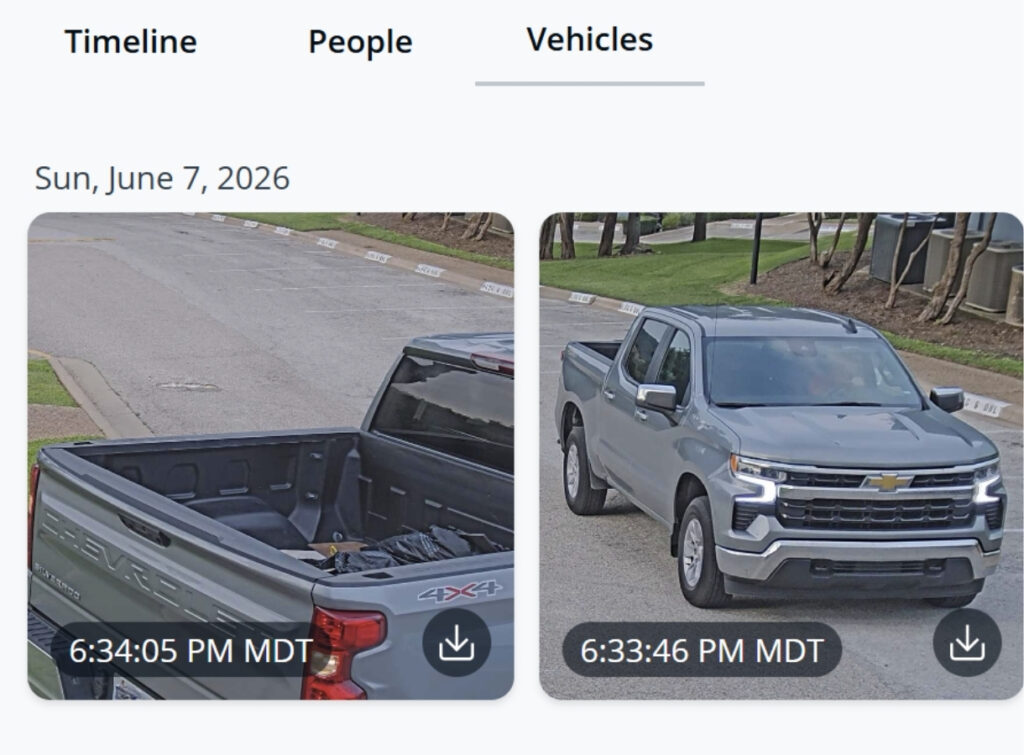
For an organization responding to an actual security event, that creates a very different experience from simply having hours of recorded video available somewhere.
The relevant information is connected to the incident.
What Would Have Happened Without It?
BestLine Solutions knows that answer because we’ve dealt with the alternative.
In the past, someone might report that something was missing from a mailbox and provide a broad timeframe.
Maybe it happened yesterday.
Maybe sometime last week.
The response then becomes an investigation: find the right camera and manually work through potentially days of footage looking for the moment something happened.
Trevor described previous incidents where someone might say a check had been stolen sometime during the previous two weeks, leaving the team to manually search through footage to determine what occurred.
This time, there was no searching for the incident.
The incident found us.
The sensor identified the event. The associated camera provided context. The alarm workflow notified the appropriate people. Professional monitoring verified what was happening. And the response began while the individual was still there.
That’s the difference between having security devices and having those devices work together as a security environment.
Detection Is Only Part of the Opportunity
The incident also demonstrates something that didn’t happen that evening but can be configured within a Verkada environment: automated deterrence.
Organizations can define specific areas and schedules where activity should trigger a response.
Depending on the environment and configuration, that response can include outputs such as strobes, sirens or automated announcements.
Verkada’s AI-powered deterrence capabilities can go further, using contextual announcements to address someone entering a protected area.
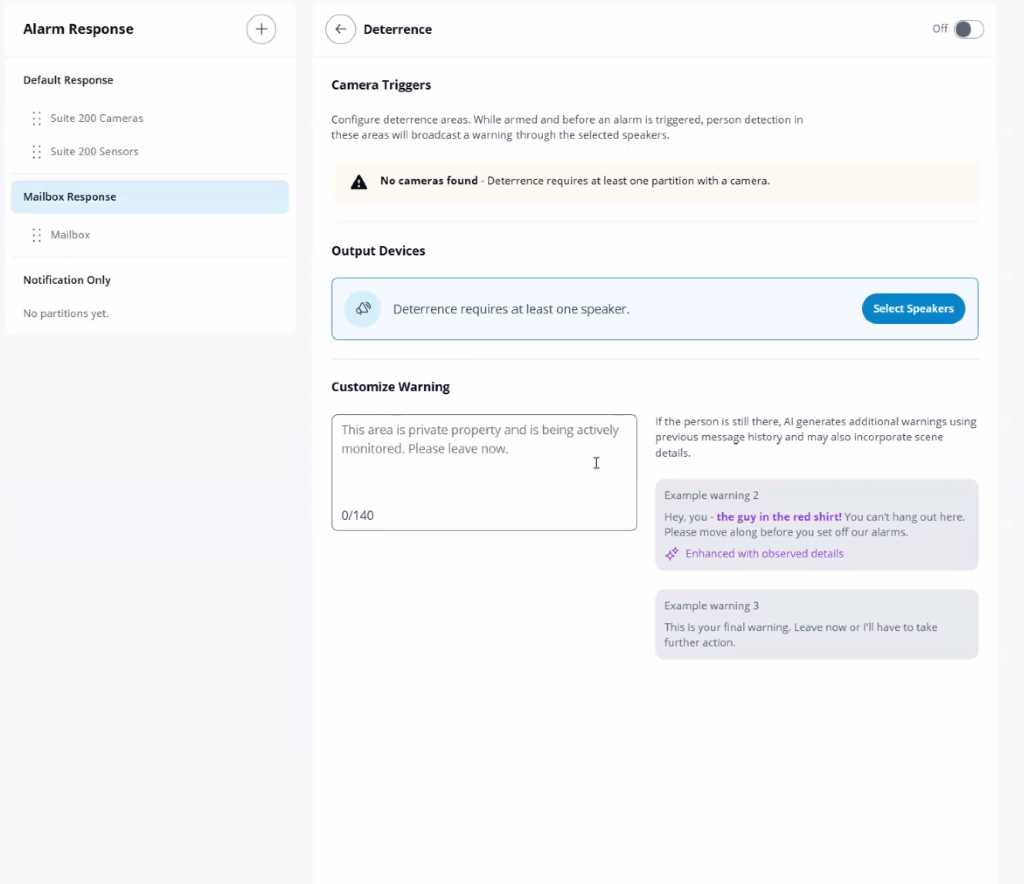
That changes the objective again.
The best security incident isn’t necessarily the one you document perfectly.
It’s the one you prevent from progressing in the first place.
As Trevor put it:
“If you can prevent something from happening before it happens, that’s even better.”
Cameras Are Only One Part of the Story
It’s easy to think about physical security as a collection of individual products.
A camera records video.
A sensor detects activity.
An alarm makes noise.
A monitoring service calls someone.
But this incident demonstrates why the connections between those technologies matter.
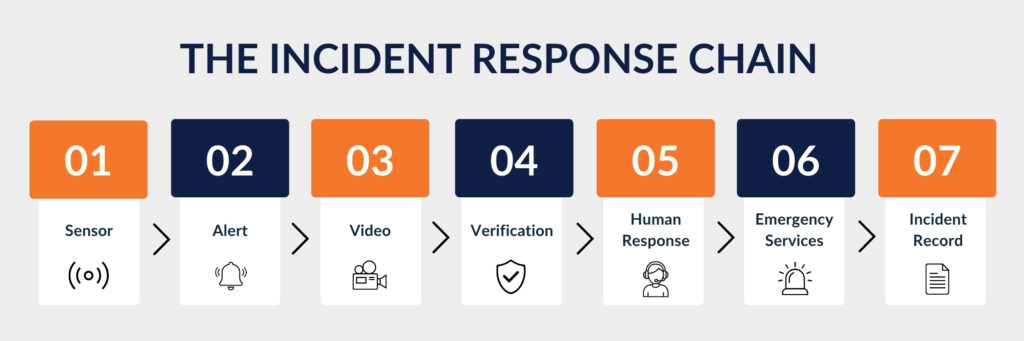
No single component tells the whole story.
Together, they gave BestLine Solutions visibility into an event occurring at its own property while members of the team were away, and helped turn an after-hours sensor trigger into an actionable security response within seconds.
What Would Your Security System Have Done at 7:34 PM?
That’s the question worth asking.
Not simply:
“Do we have cameras?”
Instead:
- Would we know something was happening?
- Would the right people be alerted?
- Could we immediately see what triggered the alert?
- Could someone verify whether it was a genuine threat?
- Could we respond while the incident was still happening?
- Would we have useful evidence afterward?
Physical security becomes much more powerful when cameras, sensors, alarms, monitoring and response workflows aren’t operating independently.
At BestLine Solutions, we don’t just sell that idea.
We recently watched it happen at our own front door.
If you’d like to see how Verkada could bring cameras, alarms, sensors, access control and monitoring together across your environment, talk with the BestLine Solutions team.
Frequently Asked Questions About Verkada Security Systems
The cost of a Verkada security system depends on the number and type of cameras, access control devices, alarm sensors, and monitoring services your business needs. Pricing typically includes hardware, installation, and recurring software licensing fees. Businesses in Austin can work with BestLine Solutions to assess their security requirements and develop a system that fits their property and budget.
Yes. Verkada cameras that have been properly configured and connected to Verkada Command can continue recording footage to their onboard storage during an internet outage, provided they remain powered. However, cloud-dependent features such as remote live viewing and certain notifications may be unavailable until connectivity returns. Once the connection is restored, the cameras can synchronize their recorded information with the platform.
Verkada security cameras typically offer onboard video retention ranging from 30 to 365 days, depending on the camera model and configuration. Businesses can also use cloud backup and archive important footage for longer-term preservation. The appropriate retention period depends on your security requirements, storage needs, and any applicable compliance obligations.
Verkada alarm systems can support professional monitoring and escalation to emergency services when a potential security threat is detected and verified. Depending on the monitoring configuration and response procedures, monitoring agents may contact designated business representatives or request emergency assistance. Police notification is not guaranteed for every alarm, and response procedures should be established during system setup.
Yes. Verkada Command provides a centralized platform for managing compatible security cameras, access control systems, alarms, intercoms, and other connected security devices. This allows authorized personnel to review footage, manage access permissions, receive notifications, and investigate security events without switching between multiple systems. An integrated approach can make security management more efficient for businesses operating one or multiple locations.